
Thank You
Welcome to Library Edit
Your purchase was successful.
You will receive an email shortly with further instructions.
We’re so glad you’re here.
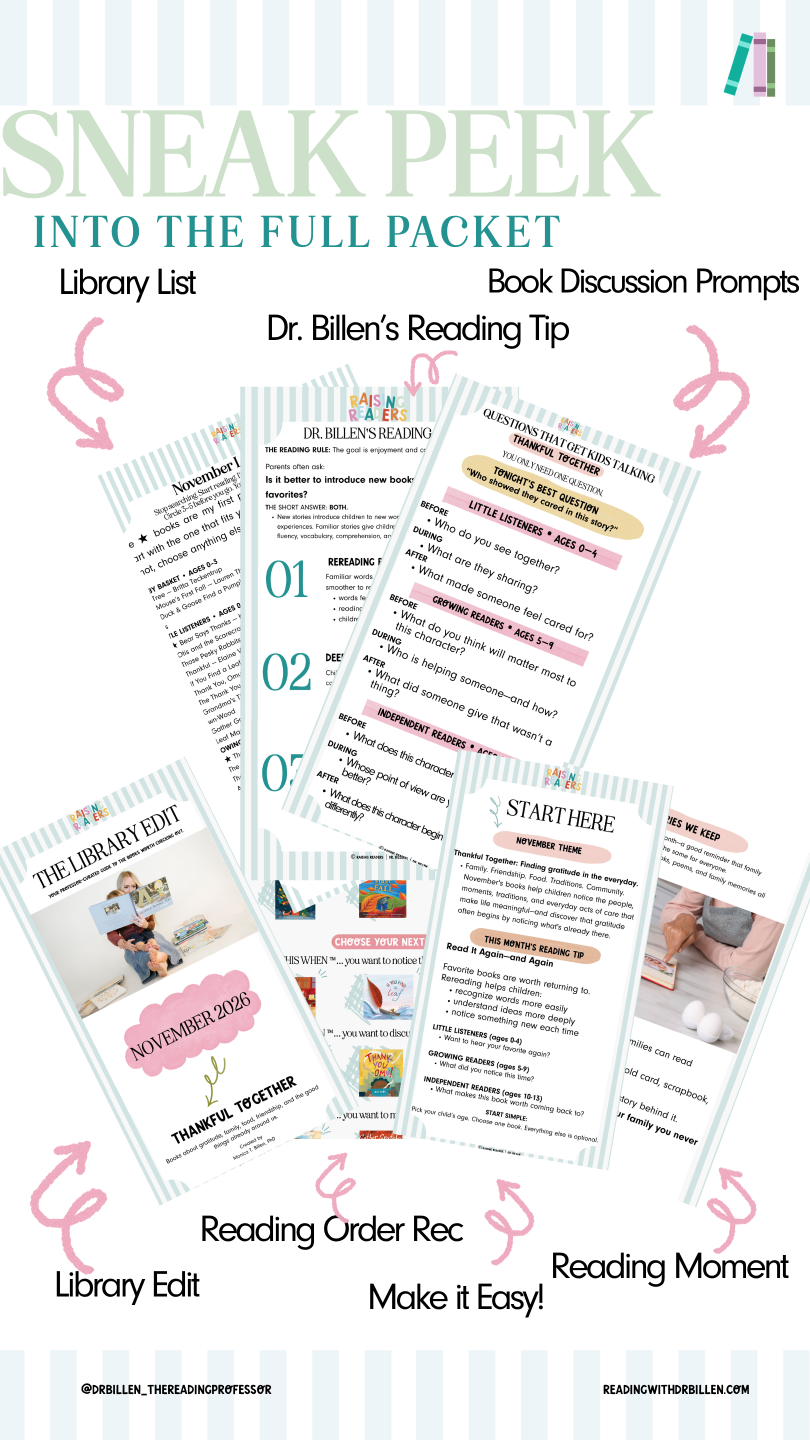
The Library Edit is your professor-curated shortcut to better library trips—helping you spend less time searching and more time reading together.
Inside, you’ll find:
- Professor-curated book picks organized by reading stage
- Find This One First recommendations so you know where to begin
- Simple reading tips and conversation questions
- A printable Library List to take with you
- A monthly Reading Moment to make reading feel a little more special
Professor-curated • Library-friendly • Ages 0–13
How to Access Your Library Edit
You only need a few really good ones.
Step 1: Sign In
Use the same email address you used at checkout to sign in to your Raising Readers Together account.
If this is your first purchase, follow the prompts you received after checkout to finish setting up your account and password.
Step 2: Go to My Library
Once you’re signed in, click MY LIBRARY at the top of readingwithdrbillen.com.
Or go directly to:
👉 https://www.readingwithdrbillen.com/library
Step 3: Open Your Library Edit
Inside My Library, find the Library Edit you purchased and click to open it.
Download Your Guide
Once you open your Library Edit, click Download to save the guide to your device.
If your purchase includes more than one file, you may also see an option to Download All.
You’ll need to be signed in to access your downloads.
Before your next library trip:
Pick your child’s section. Choose one book. Circle a few more if you’d like.
You absolutely do not need them all.
Save the Library List to your phone or print it before you go—and let the guide do the searching for you.
Thank you for choosing Raising Readers Together.
We hope The Library Edit makes your next library trip easier, your book choices better, and reading together more enjoyable.
Happy reading!
Dr. Billen & the Raising Readers Team